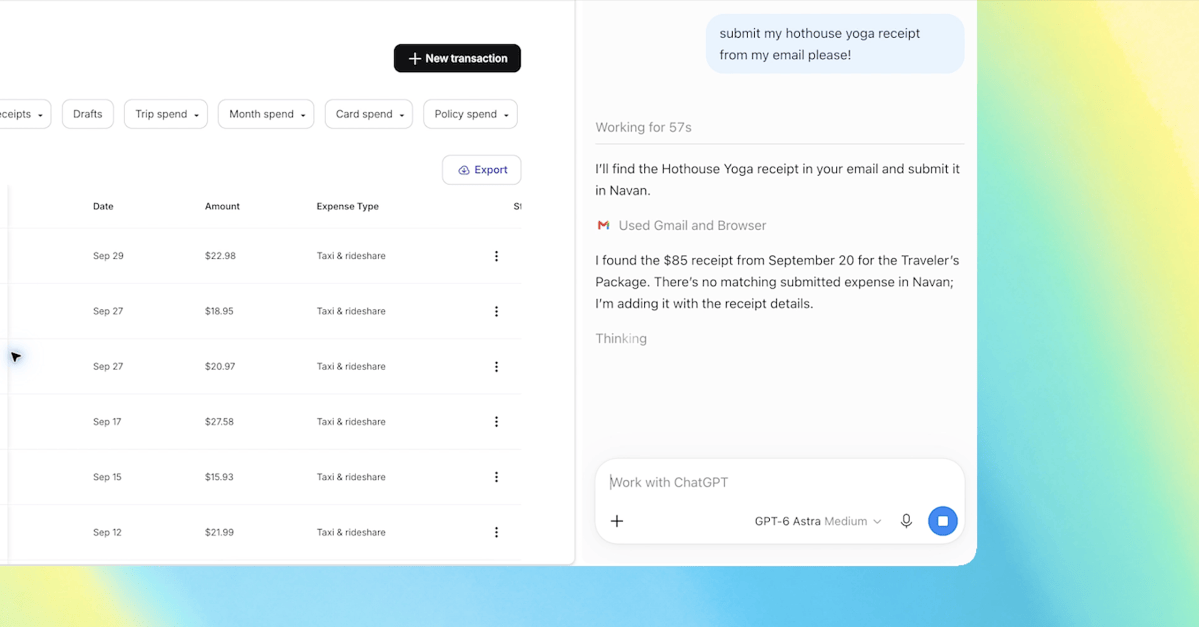
OpenAI has upgraded the ChatGPT extension for Google Chrome, giving the AI assistant the ability to look at the tabs you already have open and use them to answer your questions. According to The Verge and Engadget, the update puts "the full power of ChatGPT" — including your entire conversation history — into Chrome's sidebar, so you can work with the chatbot without leaving the page you're on.
The move comes after OpenAI retired its own ChatGPT Atlas browser on August 9. Instead of a standalone browser, OpenAI is now betting on embedding ChatGPT into the browser most people already use. The company showed a demo of someone asking ChatGPT to compare three open tabs with sofas they were considering, and says the extension is available on every plan.
What the ChatGPT Chrome extension can do
With the extension installed, OpenAI says you can tag Chrome inside the ChatGPT web or desktop app and ask the assistant to pull information from your open tabs. The company used the example of comparing couches across three tabs by dimensions, price, delivery time and return policy — a task the AI can now handle by reading the pages itself.
For heavier jobs, ChatGPT Work — OpenAI's agent built for complex, multi-step tasks — can now "control" your Chrome tabs. Engadget reports that this includes sending messages, filling out forms, downloading files and organizing or grouping open tabs, similar to Google's Gemini-powered "auto browse" feature in Chrome.
- Read open Chrome tabs to answer questions with personalized results
- Compare products across tabs (price, size, delivery, return policy)
- ChatGPT Work can send messages, fill out forms and download files