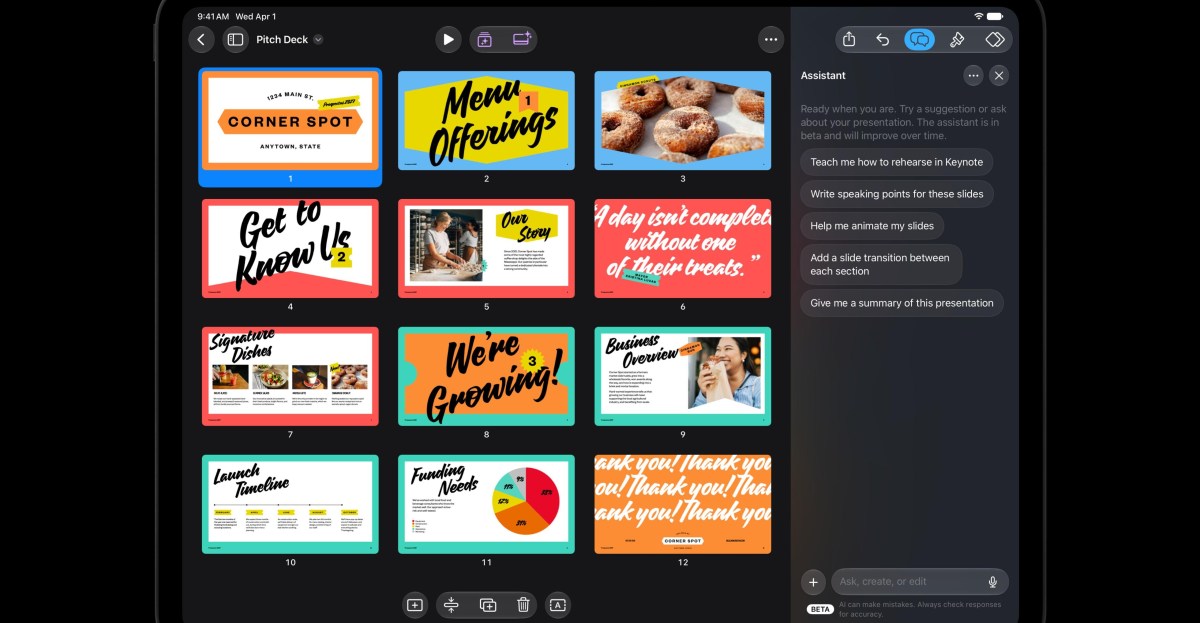
Apple announced on Tuesday that it is adding a beta AI assistant to its productivity apps Keynote, Pages, and Numbers, as well as Logic Pro for Mac and iPad. The assistant is built on a combination of Apple's own models and OpenAI models, according to 9to5Mac, and it understands the context of your document to help with tasks without leaving your work.
The company also introduced support for the Model Context Protocol (MCP) in Keynote, Pages, and Numbers on macOS 27 or later. This allows third-party AI agents and tools to read content, make edits, and run automated actions directly inside those apps. The updates will be available to existing Apple Creator Studio subscribers for free in November, with no exact launch date announced yet.
AI assistant features in Keynote, Pages, and Numbers
In Keynote, the AI assistant helps design, animate, and refine slides. In Pages, it can draft, restructure, and fine-tune written content. In Numbers, it calculates, visualizes, and organizes data, recommends suitable chart types with a one-tap preview, and builds custom tables using world knowledge, according to Apple.
The assistant is rolling out in beta to devices compatible with Apple Intelligence. It works on devices running iOS 27, iPadOS 27, or macOS 27 or later. The MCP support requires macOS 27 or later.
Logic Pro and other Creator Studio updates
Logic Pro for Mac and iPad is getting a Liquid Glass redesign and a new intelligent assistant in beta. Apple says the assistant can set up a vocal track from a single prompt and edit existing projects. The Stem Splitter now separates drums, and the redesigned Browser uses on-device AI to analyze, classify, and tag sounds, with a Splice library included.
Final Cut Pro for Mac now includes built-in MotionVFX, bringing thousands of templates, graphics, titles, transitions, and tools for rotoscoping, tracking, and color grading directly into the app. Apple's curated Content Hub is also built into Final Cut Pro, offering a library of stock videos, photos, and backgrounds. Pixelmator Pro introduces Generate Fill, which lets you edit part of an image by describing the changes you want, automatically matching lighting, perspective, and texture.